
Blog

Your blog category

Wix vs WordPress 2025: Which Platform is Better for Small Businesses?

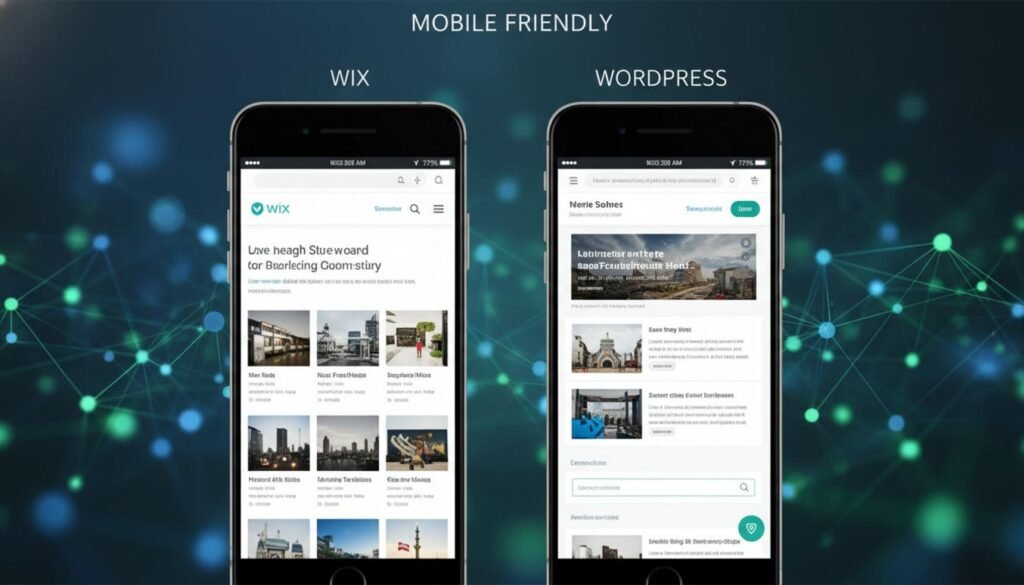
Table of Contents Introduction: Wix vs WordPress Getting Started with Wix Initial Steps with WordPress Cost Comparison: Wix vs WordPress SEO Implications of Wix and WordPress Mobile Responsiveness and Accessibility Security Features Analysis Plugins and Integrations: What to Consider Conclusion: Making the Right Choice Introduction: Wix vs WordPress In 2025, small business owners are faced with the choice between two popular website building platforms: Wix and WordPress. Both platforms offer unique features, benefits, and potential drawbacks. This comprehensive guide aims to help you determine which platform is best suited for your business needs by comparing their features, costs, and user experiences. Getting Started with Wix Step 1: Sign Up for a Wix Account Wix is renowned for its ease of use, making it an ideal choice for beginners who want to create professional-looking websites without any coding knowledge. In this section, we’ll guide you through the initial steps to start building your site on Wix, including signing up, selecting a template, and customizing it to match your brand’s identity. To begin, navigate to the Wix website and click on “Get Started.” You can sign up using your email address or link your Facebook or Google account for quicker access. Wix offers several plans, ranging from free to premium, each with varying bandwidth and storage capacities. Most small businesses find the “Combo” or “Unlimited” plans to be suitable due to their cost-effectiveness and comprehensive features, including custom domain names and the removal of Wix ads. User Testimonial: “Signing up was incredibly straightforward, and I appreciated the clear prompts that guided me through the process. The plan options were well-explained, which made it easy to choose the right one for my needs.” — Sarah L., Small Business Owner Step 2: Choosing a Template Once your account is set up, the next step is to choose a template. Wix boasts a wide array of templates tailored for different industries, from retail to photography. Browse the template gallery to find a design that resonates with your brand’s style and requirements. Each template is fully customizable, allowing you to tweak everything from the color scheme to the layout. To preview a template, simply hover over it and click “View.” This feature allows you to ensure the template meets your expectations before making a decision. Once satisfied, click “Edit” to start personalizing it. Visual Aid: Consider including screenshots of the template selection process to illustrate the variety and ease of making choices. Step 3: Customizing Your Site Wix’s drag-and-drop builder is where the magic happens. Designed to be intuitive, this tool allows you to effortlessly personalize your chosen template to reflect your brand identity. You can add text, images, and videos, rearrange elements, and even insert new sections to enhance your site. A helpful feature is the “Wix ADI” (Artificial Design Intelligence), which can automatically create a site for you based on your answers to a few simple questions. This can be a great starting point for those who prefer minimal setup. Tip: Utilize the SEO Wiz tool available on Wix to optimize your website’s visibility. This feature helps guide users through basic SEO practices, ensuring your site ranks well on search engines. For more advanced SEO strategies, consider reading about The Smartest Marketing Strategies for Small Businesses in 2025. User Testimonial: “I loved the drag-and-drop builder! I could easily experiment with different looks until I found the perfect match for my brand. It’s a very powerful tool for someone who isn’t a tech expert.” — Michael R., Entrepreneur Cost Analysis Wix’s initial cost can vary based on the plan you choose. While the free plan is quite generous, providing substantial capabilities at no charge, upgrading to a premium plan is advisable for businesses seeking a professional edge. Premium plans begin at around $14 per month, offering features essential for business success like ad-free browsing and access to important analytics. Conclusion: Getting started with Wix is a seamless process, ideally suited for small business owners looking for a cost-effective, customizable, and user-friendly website building solution. With its vast array of templates and intuitive tools, Wix enables anyone to create a stunning web presence with minimal effort. Initial Steps with WordPress WordPress has been a leader in web development platforms, offering unparalleled flexibility, control, and a thriving community of developers and designers ready to assist. In 2025, WordPress remains a top choice for small businesses looking to establish a robust online presence. Here’s how to kickstart your journey with WordPress. Choose a Host for Your WordPress Site The first step in building your WordPress site is selecting the right hosting provider. A hosting provider stores your site’s data and ensures it remains accessible to users 24/7. Services like Bluehost, SiteGround, and HostGator are popular choices among small business owners for their reliability and seamless WordPress integration. User Testimonial: “When I started my bakery’s website, I chose SiteGround because of its stellar customer service and WordPress-specific optimizations. It’s been an excellent support for my online business,” shares Linda, a bakery owner from New York. Installing WordPress After securing a host, the next step is to install WordPress. Most hosting providers offer a simple, one-click WordPress installation feature that can have your site ready in minutes. Access the control panel provided by your host, look for the WordPress installer, and follow the straightforward setup prompts. For those who prefer a hands-on approach and want more control over the installation process, manually downloading WordPress from WordPress.org and uploading it to your hosting server could be an exciting challenge. However, this requires some technical know-how. Selecting a Theme for Your Business After installation, it’s time to select a theme. WordPress offers thousands of free and premium themes, each customizable to reflect your brand’s personality. When choosing a theme, consider factors like responsiveness, speed, and ease of customization. Real user feedback can often provide insights into the best themes to use. For instance, Astra and Divi are praised for their flexibility and feature-rich designs suitable for small businesses. User Feedback: “I

Wix vs WordPress 2025: Which Platform is Better for Small Businesses? Read More »

The Rise of AI in Small Business Marketing: What You Need to Know in 2025

The Rise of AI in Small Business Marketing: What You Need to Know in 2025 In 2025, artificial intelligence (AI) is no longer a futuristic concept reserved for tech giants. It has become a cornerstone for small businesses, revolutionizing how they engage with customers, optimize operations, and stay competitive. For small business owners, understanding and leveraging AI can unlock unprecedented growth and efficiency. Here’s how AI is shaping the landscape of small business marketing and what you need to know to stay ahead. Why AI Matters for Small Businesses AI empowers small businesses to level the playing field against larger competitors. Tools powered by AI enable: Cost-Effective Personalization: AI analyzes customer behavior to deliver tailored marketing messages, creating a more personal and engaging experience without requiring a massive budget. Enhanced Decision-Making: AI tools process data and provide actionable insights, helping businesses make informed decisions quickly. Increased Efficiency: Automation of repetitive tasks like email marketing, scheduling, and lead generation saves time and reduces operational costs. Trends to Watch in 2025 1. Voice Search Optimization With the rise of voice-activated assistants like Alexa and Google Assistant, optimizing content for voice search is essential. AI tools help businesses identify voice search trends and tailor content accordingly. 2. AI-Powered Predictive Analytics Predictive analytics tools analyze customer data to forecast trends and behaviors. For example, they can predict when a customer is likely to make a purchase and recommend targeted campaigns. 3. Hyper-Personalization AI enables hyper-personalized marketing by analyzing real-time data. Businesses can send personalized offers and recommendations at the right moment, boosting engagement and conversions. 4. Ethical AI Usage Consumers are becoming increasingly aware of data privacy concerns. In 2025, businesses that adopt transparent and ethical AI practices will build trust and stand out in the crowded market. Tips for Implementing AI in Your Small Business Real-Life Success Stories Final ThoughtsAI is no longer a luxury—it’s a necessity for small businesses looking to thrive in 2025. By embracing AI tools and strategies, small businesses can compete with larger players, connect with customers on a deeper level, and drive growth like never before. The future of marketing is here. Are you ready to harness the power of AI for your small business?

The Rise of AI in Small Business Marketing: What You Need to Know in 2025 Read More »

2024 Web Design Trends for Interactive, Engaging, and Inspiring User Experiences

2024 Web Design Trends for Interactive, Engaging, and Inspiring User Experiences As we step into 2024, the world of web design is buzzing with exciting trends that make websites more fun, interactive, and user-friendly. Let’s dive into some of these trends in a way that’s easy to understand and relatable for everyone. In this blog, we’ll explore the top interactive web design trends that are shaping the user experience this year: 1. Adding Little Surprises with Micro-Animations Have you ever noticed those tiny animations on websites that make buttons move or icons come to life when you hover over them? Those are called micro-animations, and they’re like little surprises that make browsing the web more enjoyable. In 2024, you’ll see even more creative micro-animations that add a touch of playfulness to websites. 2. Bringing 3D Magic and AR to Your Screen Imagine being able to see products in 3D or try out virtual elements right on a website. That’s the magic of 3D graphics and augmented reality (AR). These technologies make online experiences feel more real and engaging, especially when you’re shopping for products or exploring virtual spaces. 3. Making Pages Come Alive with Scroll-Triggered Effects Scrolling down a web page can now be like going on a journey. Scroll-triggered effects make elements on the page move or change as you scroll, creating a dynamic and immersive experience. It’s like storytelling with your fingertips! 4. Understanding Data Better with Interactive Visuals Have you ever seen interactive charts or graphs that let you explore data by clicking or hovering over them? These interactive data visualizations make complex information easier to understand and more engaging to explore. They’re like a fun way to learn new things without feeling overwhelmed. 5. Talking to Websites with Voice Interfaces You’ve probably talked to your phone or smart speaker before, right? Well, now websites can listen too! Voice interfaces let you interact with websites using your voice, making it easier to find information or get things done without typing. 6. Turning Boring Tasks into Games with Gamification Imagine if filling out forms or completing tasks on a website felt like playing a game. That’s the idea behind gamification. It adds fun elements like quizzes, progress bars, and rewards to make using a website more enjoyable and motivating. 7. Making Websites Feel Like They Know You Have you ever visited a website that seems to know exactly what you like? That’s because of personalized experiences. Websites can now show you content and recommendations based on your interests and past interactions, making your visit feel more personalized and special. Embracing the Fun and Functionality of Interactive Web Design By embracing these interactive web design trends, websites are becoming more than just places to visit—they’re experiences that engage and delight users. Whether it’s through playful animations, immersive 3D experiences, or personalized recommendations, interactive web design makes the online world feel more human and enjoyable for everyone.As we journey through 2024, let’s celebrate the creativity and innovation of interactive web design, making the internet a more exciting and interactive place for us all.

2024 Web Design Trends for Interactive, Engaging, and Inspiring User Experiences Read More »

How Social Media is Changing Online Shopping

How Social Media is Changing Online Shopping In recent years, social media platforms like Instagram, Facebook, and TikTok have become more than just places to connect with friends and share photos—they’ve become powerful tools for buying and selling products. This trend, known as social commerce, is transforming the way businesses and consumers interact online. What is Social Commerce? Social commerce is all about combining social media with online shopping. It’s like having a mall and a party all in one place! Instead of just scrolling through posts and liking pictures, you can now discover, explore, and buy products without leaving your favorite social media app. How Does Social Commerce Work? Here’s a breakdown of how social commerce works: Why is Social Commerce Important? Social commerce offers several benefits for both businesses and consumers: Tips for Using Social Commerce Effectively If you’re a business looking to dive into social commerce, here are some tips to get started: In Conclusion:Social commerce is changing the way we shop online, making it more convenient, personalized, and engaging. Whether you’re a consumer looking for the latest trends or a business wanting to reach new customers, embracing social commerce can take your online experience to the next level. Stay tuned to our blog for more tips, insights, and updates on the world of social commerce and digital marketing trends!

How Social Media is Changing Online Shopping Read More »

Top marketing trends 2024

Top marketing trends 2024 Step into the future of marketing as we traverse the uncharted territory of 2024. The digital marketing landscape is a dynamic realm, presenting businesses with a tapestry of challenges and opportunities. In this comprehensive exploration, we will unravel the distinct threads that make up the top marketing trends defining this transformative year. 1- AI-Powered Personalization Witness the transformative power of Artificial Intelligence (AI) as it takes center stage in 2024. AI-powered personalization, once a vision of the future, is now a strategic imperative. Advanced algorithms meticulously analyze user behavior, preferences, and historical data to craft bespoke content and experiences. Whether through tailored product recommendations or personalized email campaigns, AI is revolutionizing customer engagement, driving satisfaction, and ultimately elevating conversion rates. – Explore recent advancements in AI-driven personalization on platforms like business adobe , Salesforce AI, or HubSpot. 2- Voice Search Mastery The symphony of smart speakers and voice-activated devices has redefined the search landscape in 2024. Adapting SEO strategies to embrace conversational queries is no longer a choice but a necessity. Long-tail keywords and natural language processing are the pillars supporting content optimization for voice search, ensuring brands maintain visibility and resonance in this evolving auditory landscape. – Learn more about voice search trends on platforms like Moz.com, SearchEngineLand.com, or SEMrush. And also Explore Google’s official documentation on optimizing for voice search 3- Sustainability as a Marketing Pillar In the conscientious world of 2024, consumers place sustainability and ethical practices at the forefront. Brands authentically weaving sustainability into their marketing fabric are not only gaining favor but also fostering brand loyalty. From eco-friendly packaging to transparent supply chain communication, the integration of sustainability resonates profoundly with environmentally conscious consumers. – Check reports from Nielsen.com or TheSustainabilityConsortium.com for insights into consumer attitudes toward sustainable marketing. 4- Interactive Content Takes Center Stage Gamification emerges as a dynamic force in 2024, revolutionizing user engagement. Marketers are leveraging gaming elements to enhance brand interactions and customer loyalty. From interactive quizzes and challenges to reward systems, gamification injects a sense of fun and competition into marketing strategies, capturing the attention of a wide audience and fostering a more memorable brand experience. -Explore how gamification is reshaping marketing on platforms like Gamasutra or the Gamification Summit.– Look into successful gamification campaigns and case studies, such as those from Starbucks or McDonald’s. 5- AR-Powered Experiences Augmented Reality (AR) takes the spotlight in 2024, transforming how consumers interact with brands. From virtual try-on experiences in the fashion industry to immersive AR product demonstrations, brands are creating interactive and engaging experiences. Incorporating AR into marketing strategies not only provides a novel and memorable experience but also sets brands apart in a competitive market. – Discover the latest trends and case studies on augmented reality marketing through sources like Augmented Reality News or AR Insider. 6- Video Marketing Evolution The dominance of video marketing persists, but the tapestry is evolving to meet the shifting preferences of consumers. Short-form videos, live streaming, and interactive video content have emerged as the vanguard. Platforms like TikTok and Instagram Reels redefine how brands connect with younger audiences. Navigating the challenge of conveying a message creatively and authentically within shorter video formats is the new frontier. – Stay updated on video marketing trends on platforms like Wyzowl.com, Vidyard.com, or the YouTube Creator Blog.– Explore how brands like Nike, Red Bull, or GoPro are innovating in their video marketing strategies. 7- Ephemeral Content Renaissance Ephemeral content, epitomized by stories on platforms like Instagram, Snapchat, and Facebook, has undergone a renaissance in 2024. Marketers recognize the urgency and authenticity embedded in temporary content. Leveraging stories for promotions, behind-the-scenes glimpses, and real-time updates fosters a sense of FOMO (fear of missing out), keeping audiences engaged and eagerly awaiting the next chapter. – Stay informed on the latest developments in ephemeral content on platforms like Social Media Today or Buffer.– Investigate how brands like Instagram or Snapchat are evolving their ephemeral content features. In the dynamic tapestry of 2024, marketing transcends mere communication; it becomes an immersive experience. Embracing AI for personalization, mastering voice search optimization, integrating sustainability seamlessly, leveraging gamification and AR-powered experiences, navigating the evolution of video marketing, and capitalizing on the renaissance of ephemeral content—these aspects are pivotal for a successful marketing journey. As a marketing agency, embracing these distinctive trends will not only keep you ahead but will empower you to craft campaigns that resonate uniquely with your target audience in this thrilling era of digital marketing. Remember, the compass to success is innovation in this ever-evolving marketing frontier.

Top marketing trends 2024 Read More »

©2025 Blinklead Marketing Inc. All Rights Reserved.

Scroll to Top